
前言
本文讲解的都基于vscode作为项目ide
eslint 学习之难 不在于eslint学习本身,主要在于eslint的关联性太广。
eslint本身的知识 如各种规则、配置、命令行之外,还需对eslint 的 plugin 和 extends的开发机制有所了解 这二者缺一不可。
除此之外,还需了解 babel、webpack、prettier、stylelint、vscode插件和配置、ts、npm(scripts、peerDependencies)、husky(pre-commit)、lint-staged。
eslint虽小,内有乾坤。
prettier
eslint-plugin-prettier 与 eslint-config-prettier 关系
这里基于二者源码中package.json的peerDependencies分析关系,目的是引导大家阅读eslint相关包的peerDependencies。
eslint-plugin-prettier 依赖 eslint-config-prettier
eslint-plugin-prettier 依赖 eslint-config-prettier ,但 单独安装 eslint-plugin-prettier 又不会 安装eslint-config-prettier。
参考 eslint-plugin-prettier 的 package.json 中确实有 eslint-config-prettier:
1 | "devDependencies": { |
因为放到 devDependencies中不会被安装,但在peerDependenciesMeta声明了,所以eslint-config-prettier是必须的, 因此要记得安装 eslint-config-prettier prettier;
读peerDependenciesMeta很重要
如上,从peerDependenciesMeta可以看到eslint-plugin-prettier dependencies之外必须的依赖。
很多包安装上后,不生效,原因都是因为没有安装 peerDependenciesMeta 定义的包。
eslint包为什么容易出现peerDependenciesMeta
eslint相关的包,如上面的eslint-config-prettier,为什么容易出现peerDependencies(Meta)?
因为eslint的包解析 依赖 babel prettier eslint ,而 babel这些,是项目必备的,项目在没有eslint前,就已经安装babel,
如果 eslint相关包也指定安装babel,容易出现 babel版本不一致导致的冲突,
因此会将这些公共的包放到 peerDependencies(Meta)中,避免冲突,同时告诉使用者,这些包是必须的。
plugin:prettier/recommended的实质
参考eslint-plugin-prettier源码, plugin:prettier/recommended的实质是:1
2
3
4
5
6
7
8
9
10
11configs: {
recommended: {
extends: ['prettier'],
plugins: ['prettier'],
rules: {
'prettier/prettier': 'error',
'arrow-body-style': 'off',
'prefer-arrow-callback': 'off'
}
}
},
plugin:prettier/recommended 是用 eslint-config-prettier关闭所有prettier与eslint 冲突的规则,然后使用并打开eslint-plugin-prettier定义的规则('prettier/prettier': 'error')。
以此避免代码prettier之后,又会因为不符合eslint规则,被eslint报错。
prettier配合eslint配置套路
如plugin:prettier/recommended展示的,先使用eslint-config-prettier关闭 eslint冲突规则,然后在rules中定义 'prettier/prettier': 'error' 这里的 前一个 prettier 代指 eslint-plugin-prettier, 开启 prettier规则。
需配合.prettierrc.js使用(解决逗号等问题)
除了在.eslintrc.js中配置相关的 eslint-plugin-prettier 规则外,还要在.prettierrc.js额外定义一些配置,以解决诸如 单引号、行尾是否需为LF、CRLF 等问题。
eslint-plugin-prettier 都是基于prettier包的,此prettier包会读取.prettierrc.js配置。
选择的方案
js jsx ts tsx 文件使用eslint格式化,不用prettier格式化,只使用集成了prettier的eslint来格式化;
css less sass 格式化交给stylelint;
md、json文件的格式化使用prettier, 如果项目这部分文件用的少,也可以忽略处理;
prettier vscode插件
prettier 结合 lint 的原理
先禁用lint(如eslint) 的格式化规则,然后使用prettier来进行格式化。
1 | <!-- prettier vscode插件 readme介绍: --> |
.editorconfig
一下有关editorconfig的内容,几乎都能在EditorConfig for VS Code 插件readme上能看到
概述
vscode不能原生支持 .editorconfig, 需要安装插件 EditorConfig for VS Code, 目前此组件只支持.editorconfig部分属性,在插件readme中可见:1
2
3
4
5
6
7
8Supported Properties:
root
indent_style
indent_size
tab_width #一般不需要设置,默认为indent_size值
end_of_line (on save) #保存的时候,会以什么结尾
insert_final_newline (on save) #保存的时候,在代码下面插入一行
trim_trailing_whitespace (on save) #保存的时候,会吃掉右侧多余空格
详细可参考博客
setting.json也可实现上面功能
支持的功能
1 | "editor.tabSize": 12 |
优先级
当配置.editorconfig后,EditorConfig for VS Code 会屏蔽vscode相关setting,以 .editorconfig为准。
prettier实现了以上部分功能
如果你开通vscode保存后自动格式化功能,也能实现如下功能:1
2insert_final_newline (on save) #保存的时候,在代码下面插入一行
trim_trailing_whitespace (on save) #保存的时候,会吃掉右侧多余空格
项目方案
若有eslint,则没有十分必要设置
vscode只支持如下editorconfig属性1
2
3
4
5indent_style #eslint(prettier)规则对缩进是否为tab或空格已经做处理,保存后自动修复
indent_size #同上
tab_width #同上
insert_final_newline (on save) #同上
trim_trailing_whitespace (on save) #同上
在配置的eslint规则合适下,基本没有必要再配置 editorconfig。
airbnb
eslint-config-airbnb-base 与 eslint-config-airbnb
参考GitHub官网:
Our default export contains all of our ESLint rules, including ECMAScript 6+ and React. It requires eslint, eslint-plugin-import, eslint-plugin-react, eslint-plugin-react-hooks, and eslint-plugin-jsx-a11y. If you don’t need React, see eslint-config-airbnb-base.
eslint-plugin-jsx-a11y 与 eslint-config-airbnb
如上,eslint-config-airbnb 包含了 eslint-plugin-jsx-a11y 的规则。
如果不用React,请用eslint-config-airbnb-base
参考上面
自定义规则通常结合eslint-config-airbnb-base
自定义规则通常结合eslint-config-airbnb-base而非eslint-config-airbnb,
然后自行引入 react、hooks 规则
参考 https://github.com/umijs/fabric
npm info “eslint-config-airbnb@latest” peerDependencies
此命令同 npm view "eslint-config-airbnb@latest" peerDependencies
参考官网
使用此命令查看eslint-config-airbnb所有的安装依赖
npx install-peerdeps –dev eslint-config-airbnb
如果你是 npm install eslint-config-airbnb 只会安装 eslint-config-airbnb 本身,不会安装eslint-config-airbnb依赖的其他包。
此时用 npx install-peerdeps 可一键安装eslint-config-airbnb包本身及它所有依赖的包。
参考官网
eslint 调试 - 专治各种不生效
下面列举eslint的调试方式以及不生效的原因。
npx eslint src/app.js
之前一直习惯结合 vscode的插件使用eslint,很少使用eslint命令行,遇到eslint不生效的问题,也不知道原因,全程只靠猜和经验。
后面才发现eslint也是有调试方法的,就是我们熟悉的eslint命令行,
一旦运行命令 npx eslint src/app.js ,就会告诉你eslint不生效的原因。
peerDependencies
比如使用airbnb不生效,可以去github官网查询 airbnb 的peerDependencies是否都安装了,
参考上面的《eslint-plugin-prettier 与 eslint-config-prettier 关系》有关 peerDependenciesMeta 的讲解。
版本要一致
各种包我都安装了,依然不生效,此时就要看版本是否一致了,可以去各个包的GitHub上看readme,上面会记录版本变动带来的使用方式的改变。
比如 eslint-config-prettier ,8.0版本以前使用方法:1
extends: ['prettier', 'prettier/react']
8.0版本后,合并了’prettier/react’,只需要配置如下即可, 参考:1
extends: ['prettier']
假如还是像以前一样配置成['prettier', 'prettier/react'] eslint将不生效,
但这种不生效最隐蔽,因为通过npx eslint --fix src/app.js并不会告诉你哪里出错了,然后凭借以前prettier的使用习惯,又不会认为有问题,
最后可能要花费很多时间排查到原因。
配置语法错误
定义不存在的错误配置或错误的plugin会导致eslint不生效。
这种不生效,可能运行 npx eslint --fix src/app.js 也不会提示,导致排查问题困难。
在试了eslint不生效的各种方法后还未找到原因的,可以试试把rules的配置一个个删除,再调试下。1
2
3
4
5
6
7{
rules: {
//iAmErrorRulesxxxx 和 iAmErrorRulesxxxxPlugin 是不存在的rules。
'iAmErrorRulesxxxx': 'error',
'iAmErrorRulesxxxxPlugin/gogo': 'error',
}
}
这一条适用于 stylelint ,这种报错的排查在stylelint中非常隐蔽,因为不会有任何提示。
vscode调试eslint注意点
安装了eslint相关包后,vscode的eslint插件可能不会对最新的eslint立即生效。
可以通过以下方式查看最新的eslint生效情况:
- 注释和解注释 .eslintrc.js 的 extends,达到让eslintrc.js配置onChange的效果,vscode的插件可能监听了.eslintrc.js的变化, 但此方法是否生效有一定的概率性。
终端运行
npx eslint --fix src/app.js,命令行始终能查看到最新的生效情况重启vscode,这是终极解决方法,把把灵光
eslint插件与vscode
使用eslint插件
下图的灯泡和错误红线高亮提示,都是vscode的eslint插件作用的效果。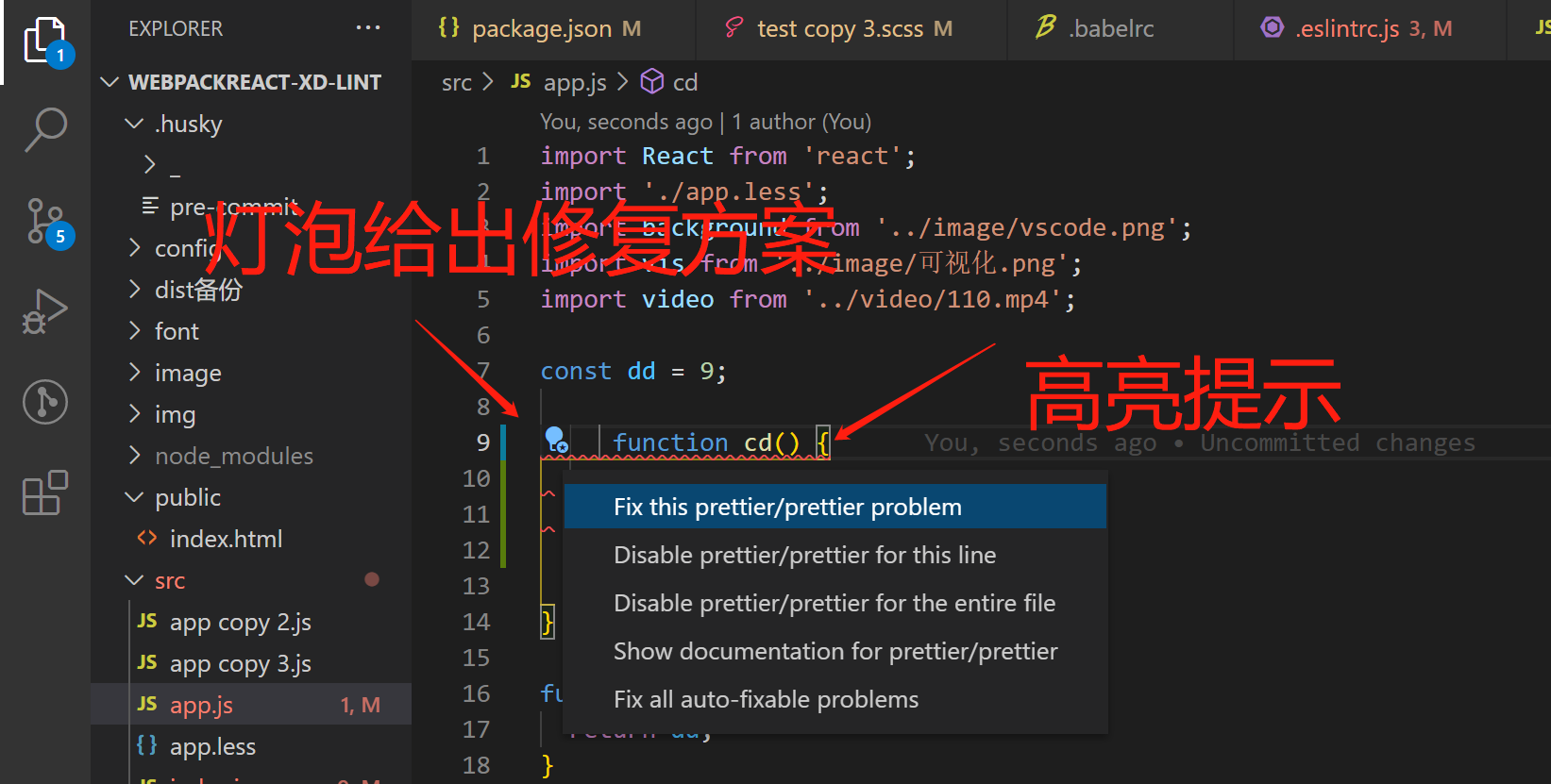
eslint插件安装只是前提条件,
还要求项目中的eslint的是生效的,因此需要项目配置好eslint的相关npm包,以及正确的eslint配置,
满足以上条件后才有上面图片中的效果。
vscode的三种setting.json
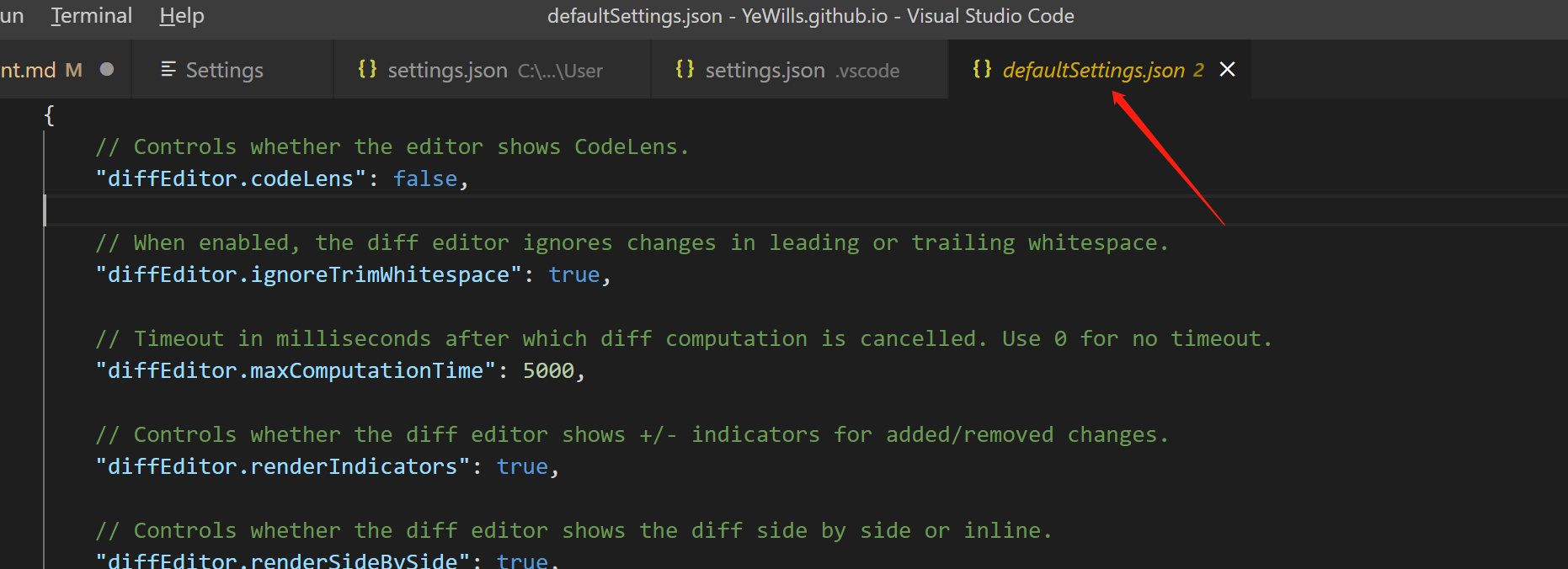
下面是打开 vscode的三种setting.json的方式, 充分认识这三种json的作用和区别是vscode使用者的必备技能,可网上查阅相关知识。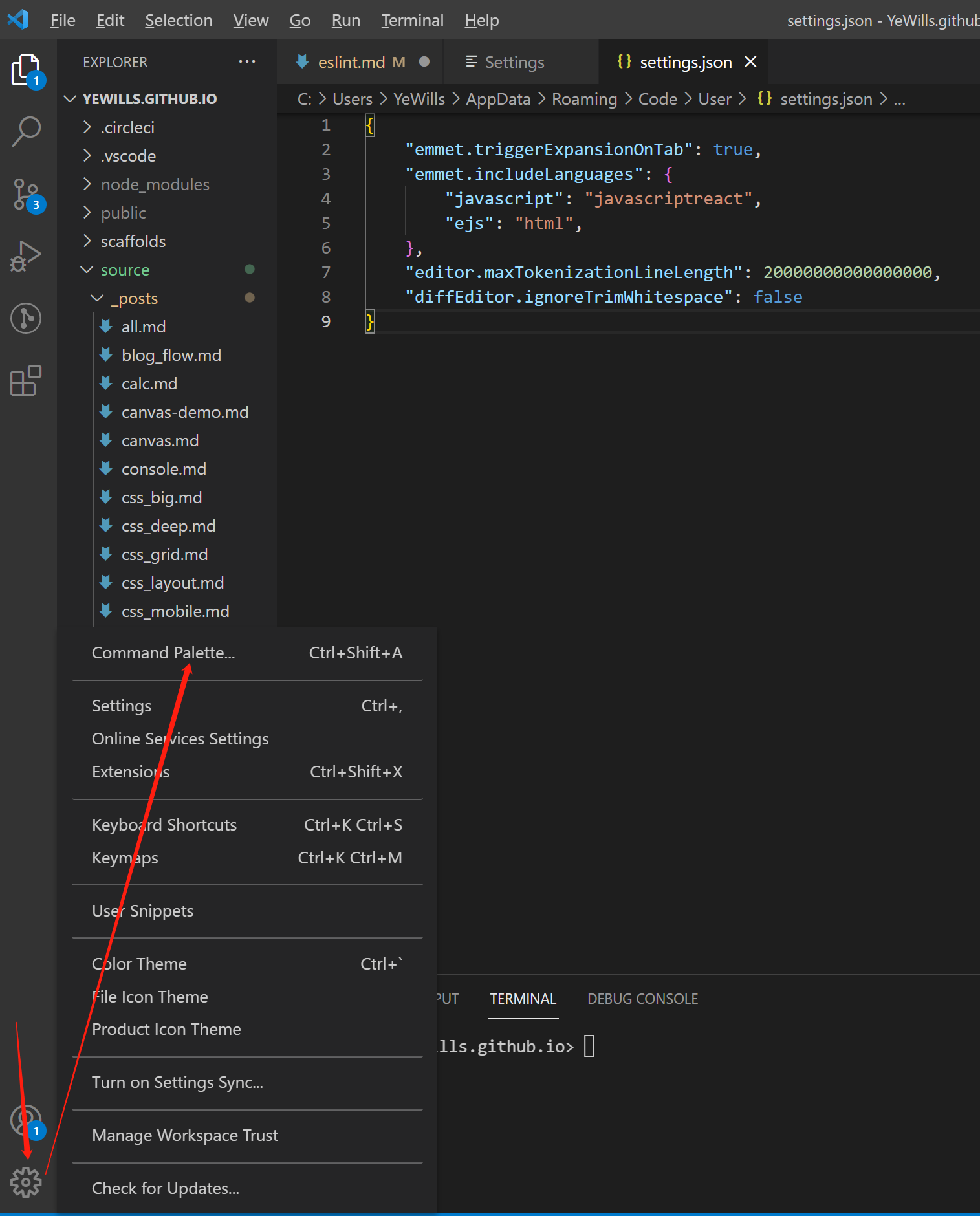
点击后,跳出下面的输入框,输入 setting.json 打开三种setting.json。
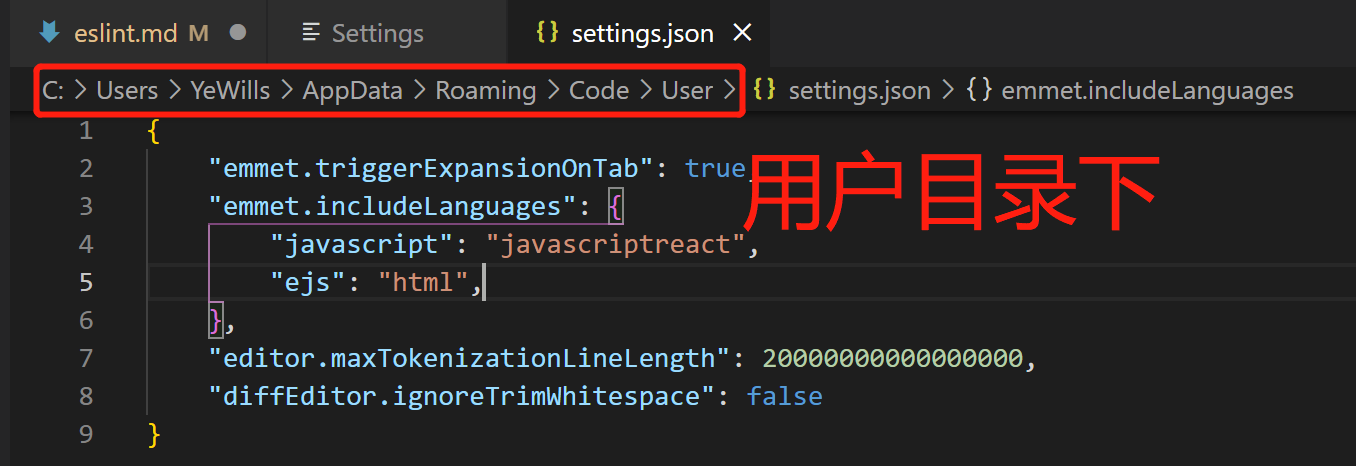
分别为 用户目录下、项目目录下、defaultsetting,作用范围分别为 电脑用户下所有的项目、工程目录下、默认setting
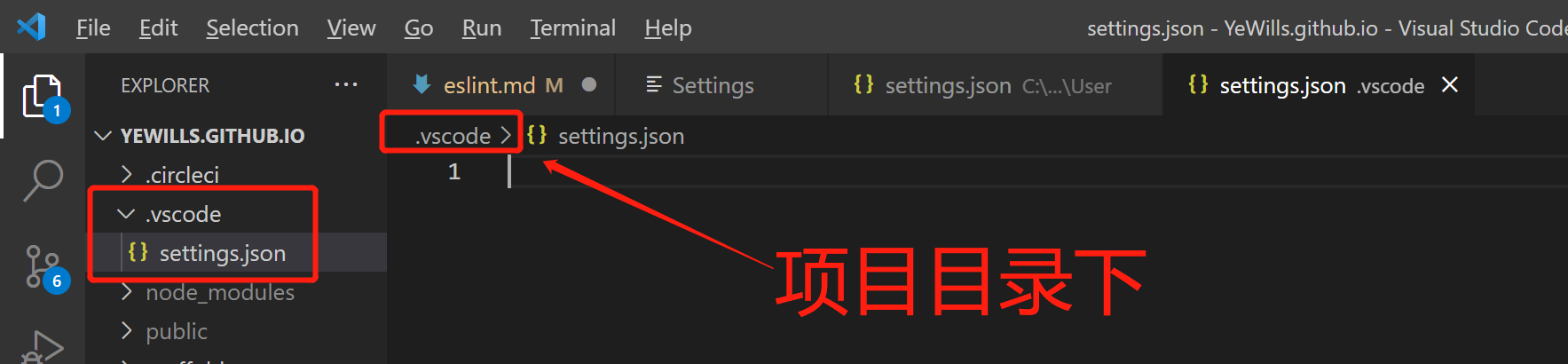
设置vscode保存后自动修复
设置工程目录下的setting.json如下,保存后,vscode会修复所有lint相关的报错,包括eslint、stylelint。
有两个前提:
- 项目下的eslint是生效的 (安装好eslint相关的npm包和配置好相关配置);
- 安装好(vscode的)eslint插件
1
2
3
4
5{
"editor.codeActionsOnSave": {
"source.fixAll": true
}
}
提供的命令
以eslint.createConfig为例
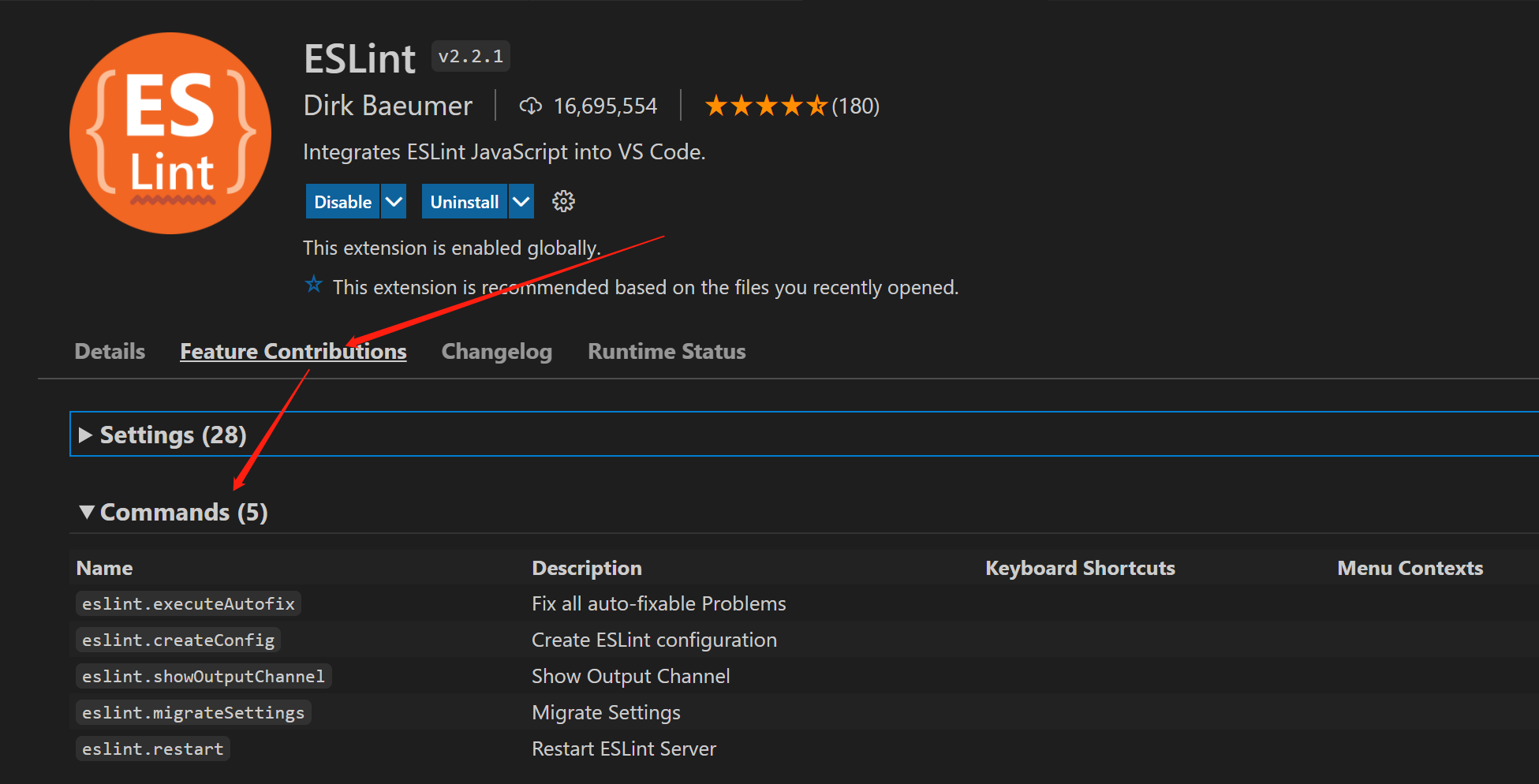
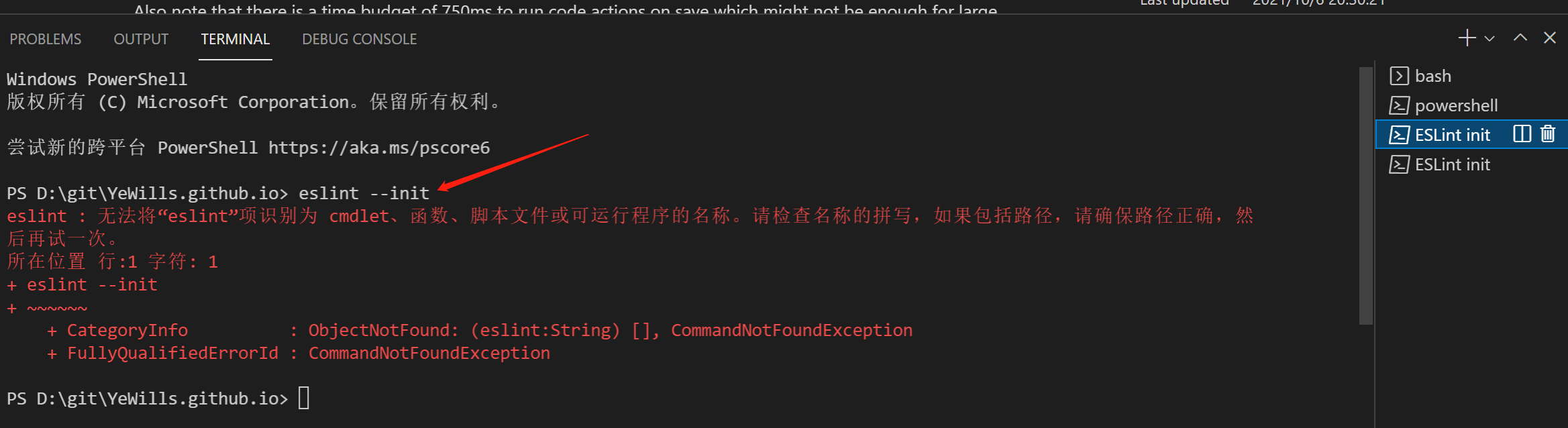
vscode 快捷键 ctrl+shift+p 打开vscode的命令工具,也可通过下面方式打开: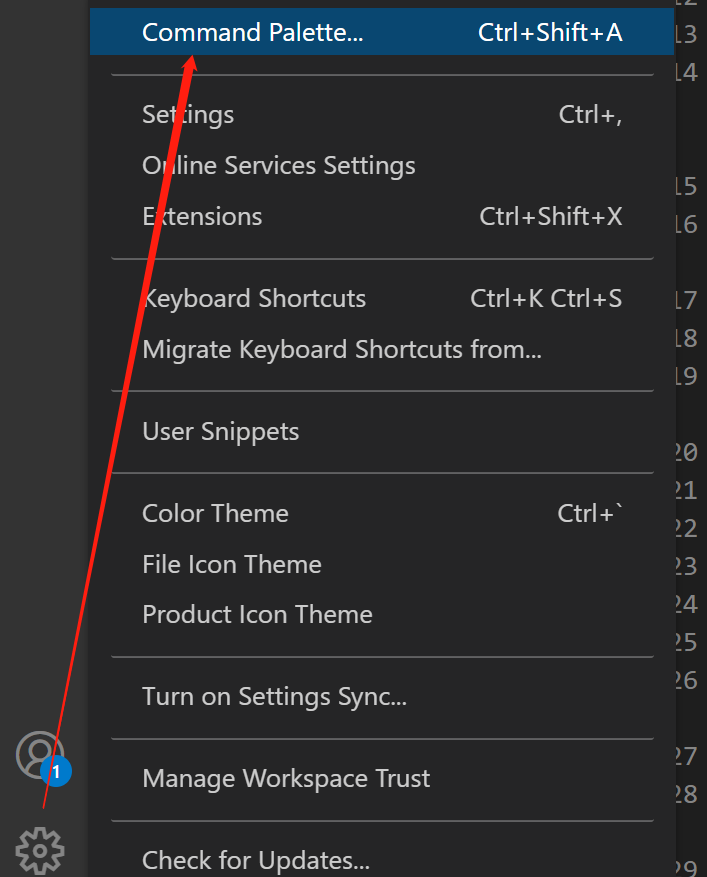
输入 eslint.createConfig 就会出现下面: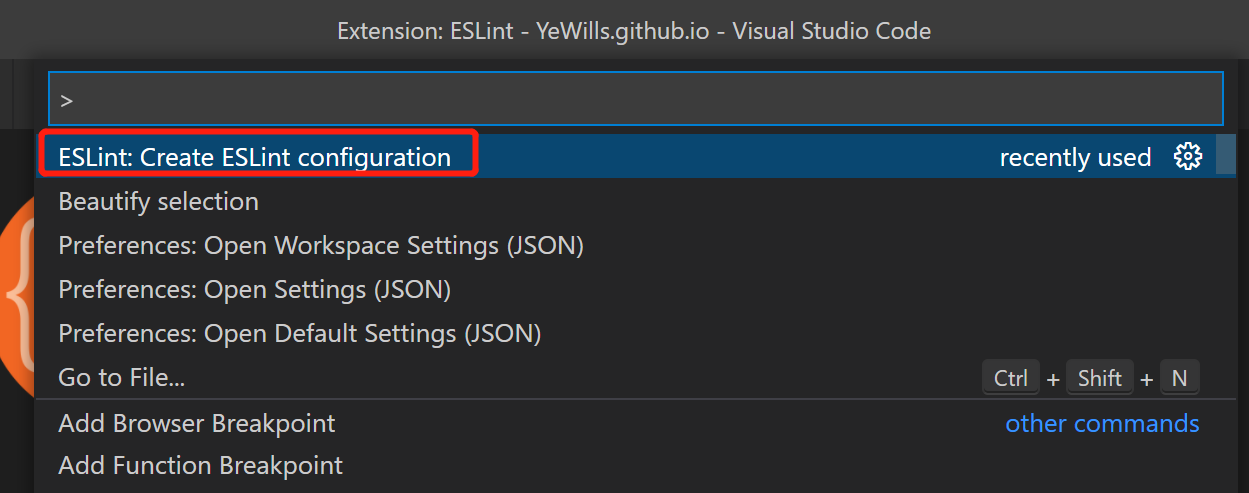
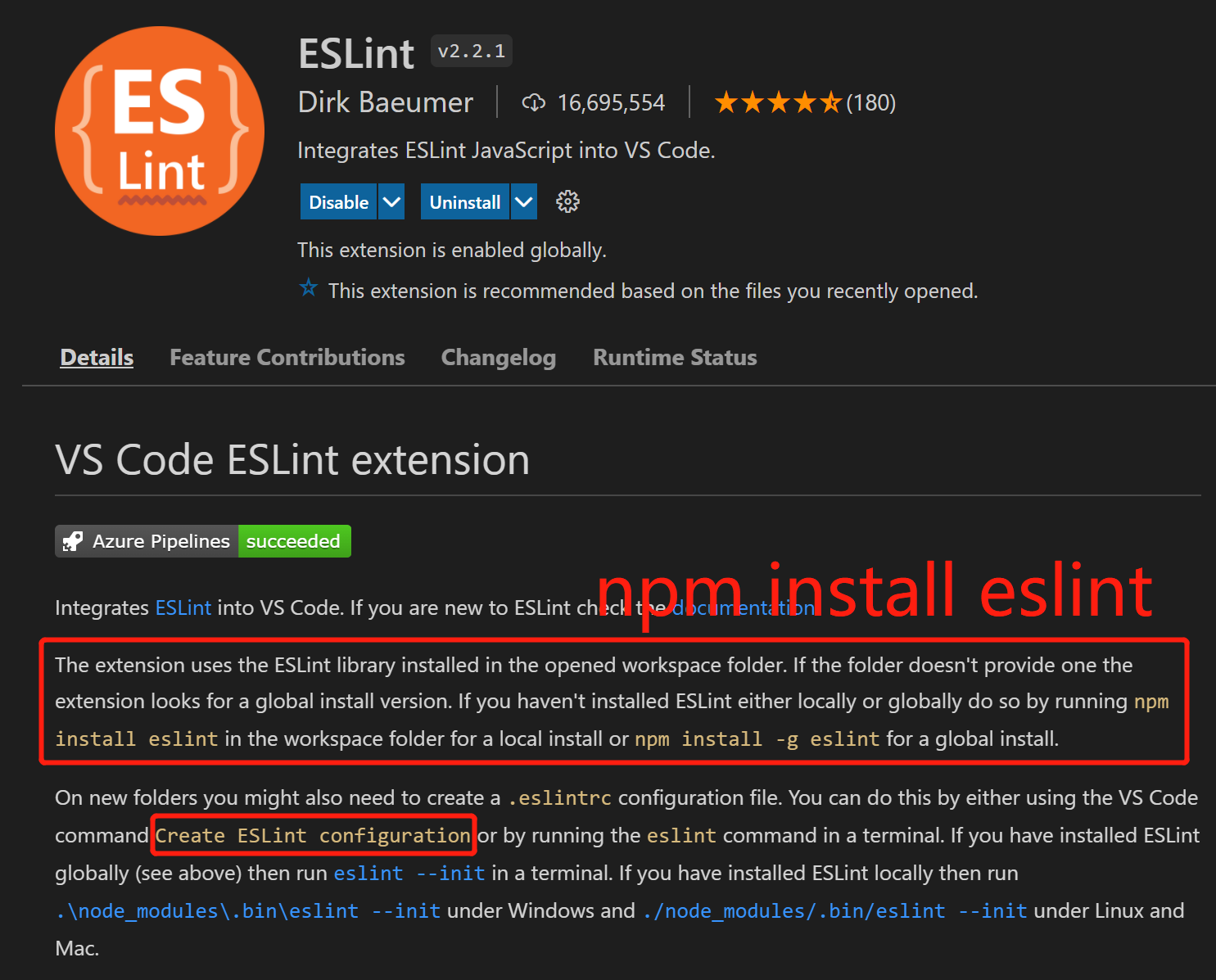
依赖 eslint 包
注意点
editor.formatOnSave 与 editor.codeActionsOnSave
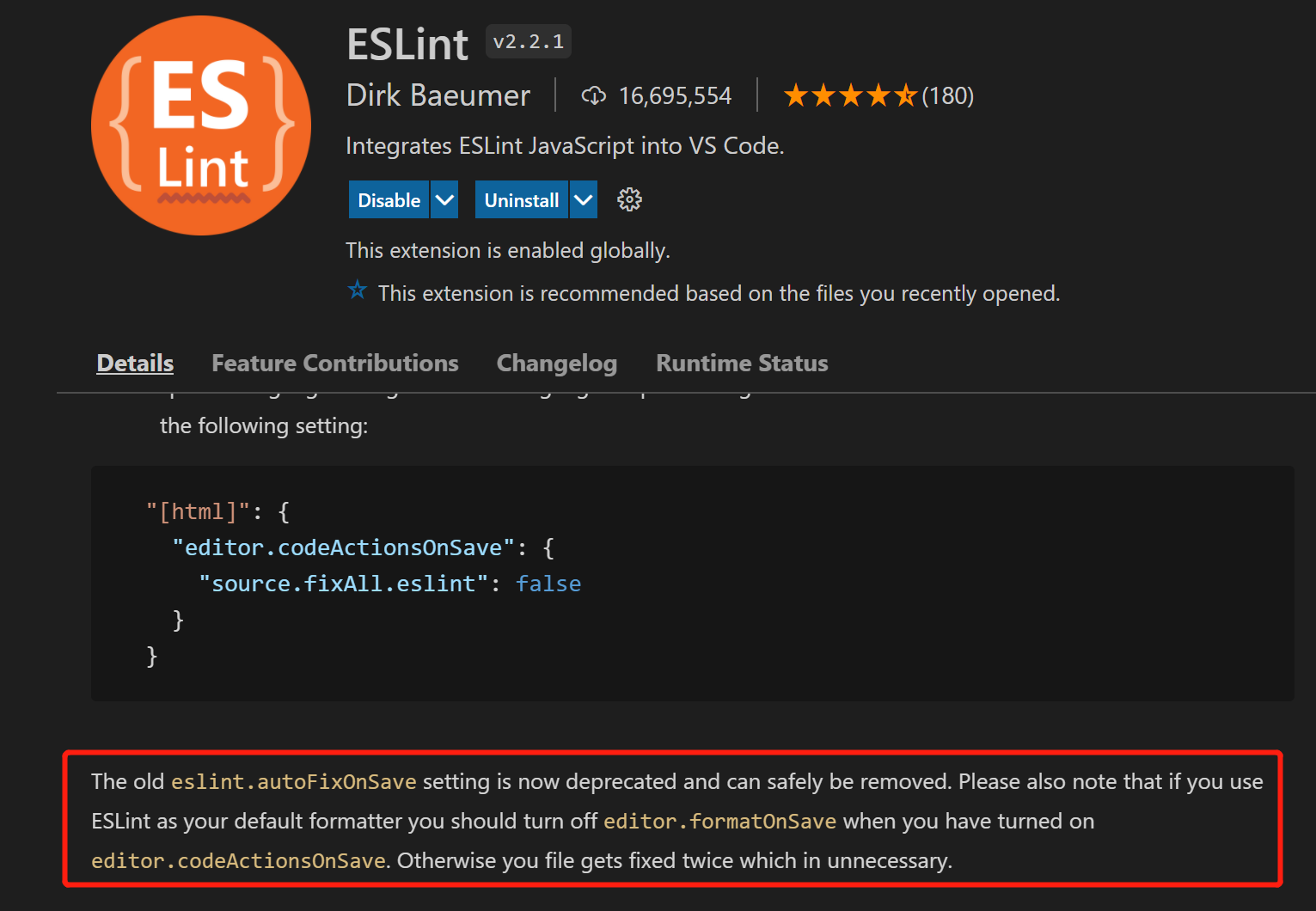
若使用editor.codeActionsOnSave,请关闭 editor.formatOnSave 。1
The old eslint.autoFixOnSave setting is now deprecated and can safely be removed. Please also note that if you use ESLint as your default formatter you should turn off editor.formatOnSave when you have turned on editor.codeActionsOnSave. Otherwise you file gets fixed twice which in unnecessary.
关闭 editor.formatOnSave
参考上面说明。
不需要的旧配置eslint.validate
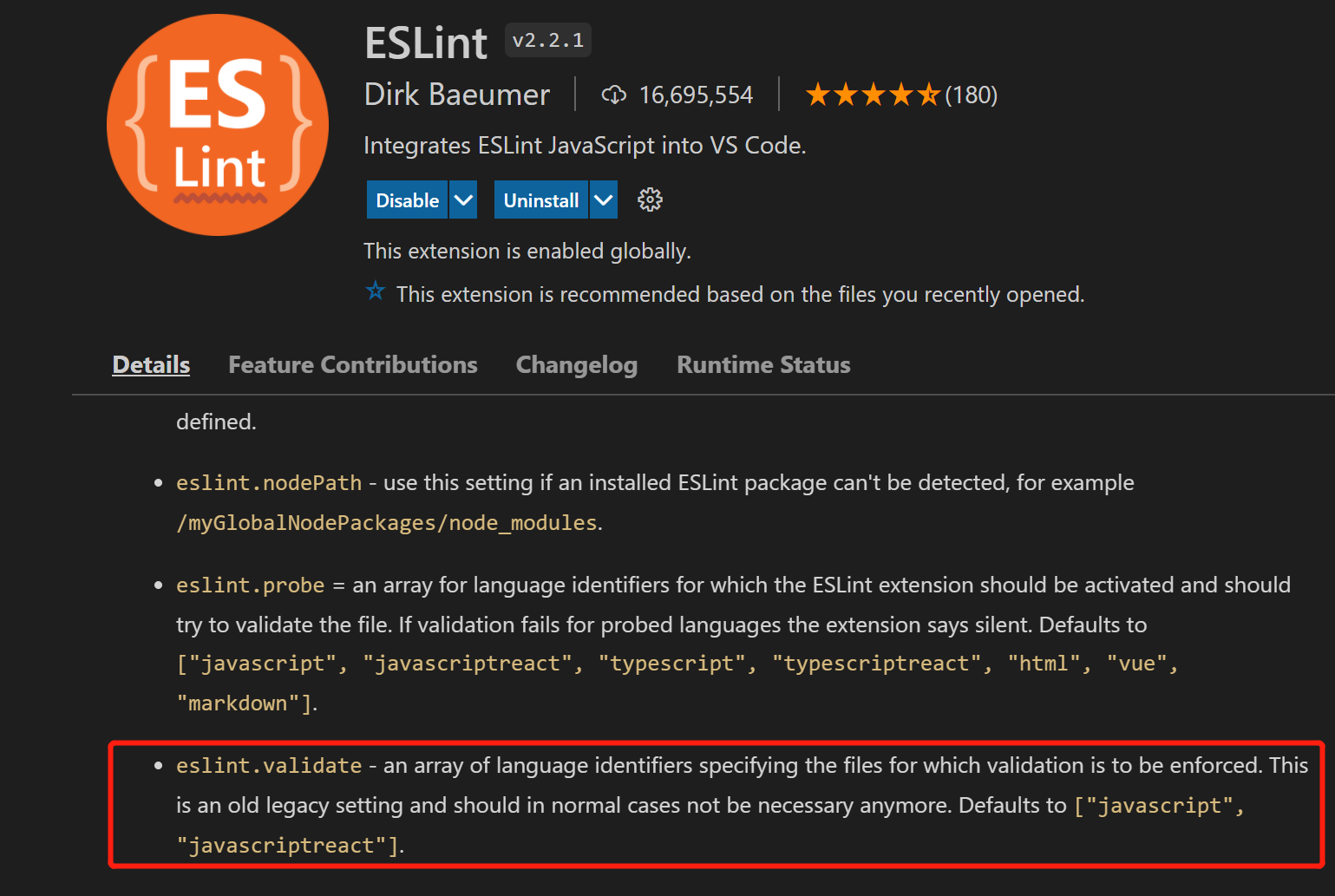
eslint.autoFixOnSave 与 editor.codeActionsOnSave
弃用的eslint.autoFixOnSave,请使用editor.codeActionsOnSave替代,
下面也展示了 eslint插件保存自动修复的几种配置方式: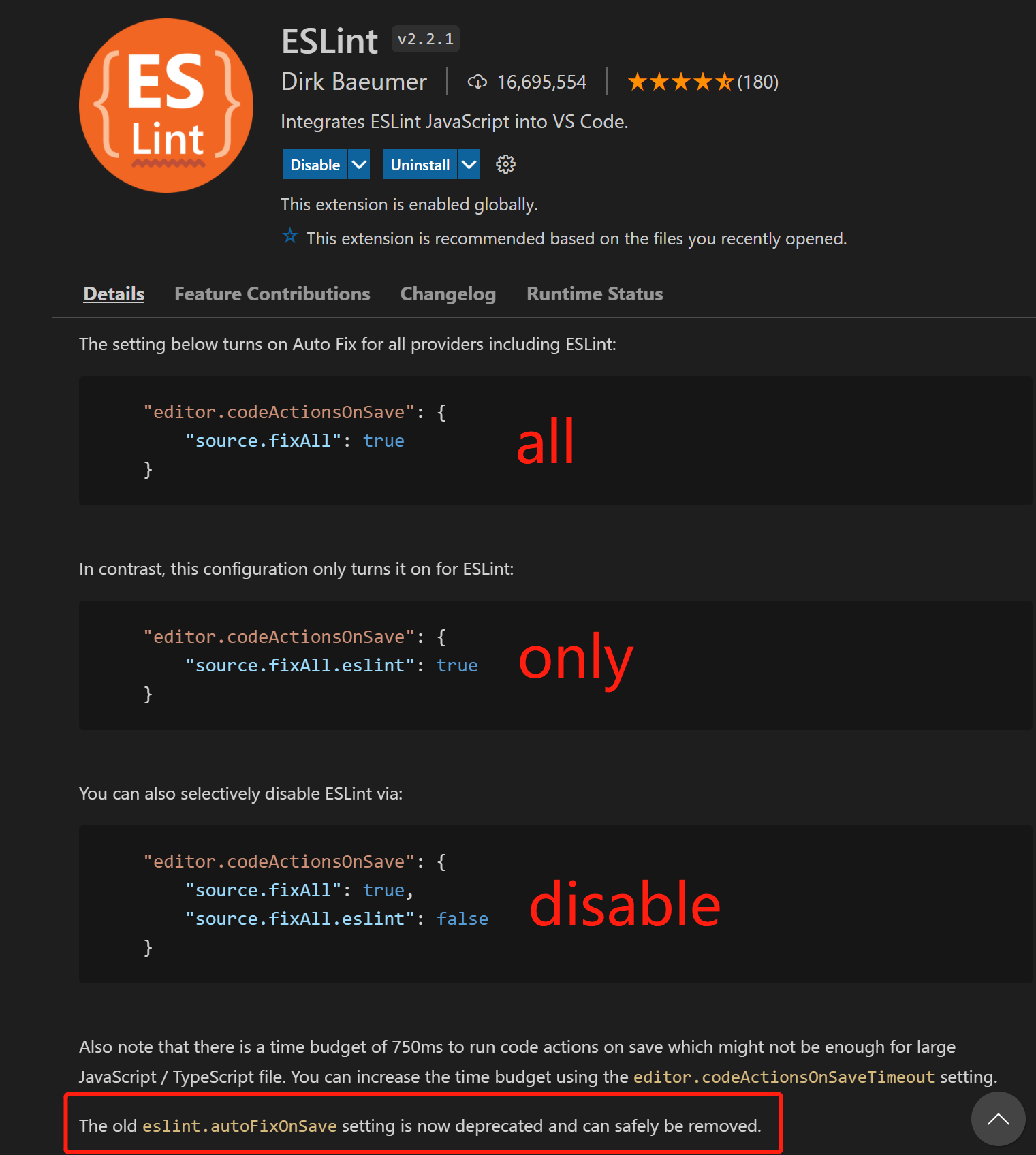
vscode eslint插件运行机制
概述
vscode 的eslint插件的运行,必须依赖 npm eslint包。
因为是vscode插件,因此可以读取到所有的vscode的setting.json(默认、工作区、用户 三种setting.json),
(vscode的setting.json就是共享给所有插件的,相当于vscode运行的上下文,vscode将此上下文暴露给所有vscode插件)。
因为依赖的是npm eslint包,而.eslintrc.js是给 npm eslint包配置和使用的,
.eslintrc.js配置了npm eslint包,因此也影响了 vscode的eslint插件表现行为。
可以在 setting.json 中定义的能力举例 :
设置eslint与vscode的交互,比如是否开启eslint的保存自动修复1
2
3
4<!-- 这是新版本eslint插件,配置方法 -->
"editor.codeActionsOnSave": {
"source.fixAll.eslint": true
}
1 | <!-- 这是老版本eslint插件,配置方法,现已经丢弃 --> |
1 | <!-- 比如自定义eslint的配置文件路径 --> |
在.eslintrc.js 中定义rules相关
特点描述
eslint拥有的能力已经特征,可以参考上面《概述》说明
依赖eslint npm包
读取vscode setting.json
.eslintrc.js会影响vscode eslint行为
vscode灯泡提示以及高亮
vscode自动保存
给vscode集成各种命令
必须要了解的vscode知识
setting.json
参考《vscode eslint插件运行机制》
定义到setting.json,还是项目中
不建议在setting中定义插件太多rules相关的,规则相关的全部定义到项目中,这样保证在不同编辑器下或者在命令行中运行修复时,项目lint保持一致。
参考《stylelint的vsocde插件配置》,说明了 vscode的插件是透出能力,能够通过vscode的setting.json来定义插件的lint rules。
也可以参考 vscode插件prettier-vscode 的readme1
There are multiple options for configuring Prettier with this extension. You can use VS Code settings, prettier configuration files, or an .editorconfig file. The VS Code settings are meant to be used as a fallback and are generally intended only for use on non-project files. It is recommended that you always include a prettier configuration file in your project specifying all settings for your project. This will ensure that no matter how you run prettier - from this extension, from the CLI, or from another IDE with Prettier, the same settings will get applied.
setting.json在各插件的权重优先级
setting.json 在各插件的权重优先级中,表现各不一致,看插件的作者自己设计了。
在stylelint,貌似 setting.json 配置高于 a prettier configuration file in your project :
1 | <!-- stylelint.* VSCode settings --> |
而在prettier中, setting.json 只是一个备选方案, a prettier configuration file优先级最高。
1 | //prettier vscode插件 readme介绍: |
stylelint
配置
配置情况参考 https://github.com/umijs/fabric
保存后自动修复
保存后自动修复参考 《vscode - 设置vscode保存后自动修复》
stylelint调试(踩坑)
参考《eslint 调试 - 专治各种不生效》中的 《配置语法错误》
stylelint的vsocde插件配置
尽管强烈建议您在项目中依赖stylelint配置文件,但您可以也可使用 stylelint.* VSCode settings 进行配置。
参考插件的readme:1
2
3Once a user follows the stylelint startup guide by creating a configuration file or by editing stylelint.* VSCode settings, stylelint automatically validates documents with these language identifiers:
Though relying on a stylelint configuration file in your project is highly recommended, you can instead use the following extension settings:
1 | <!-- stylelint.* VSCode settings --> |
重难点配置讲解
parserOptions.babelOptions
parserOptions 是用来给 eslint.parser 配置选项的。
babelOptions 的解释参考 @babel/eslint-parser github,是 @babel/eslint-parser 这个自定义parser的独有配置。
如果没有配置或未定义 babelOptions ,@babel/eslint-parser 将不解析很多实验性或很新的es语法。
@babel/eslint-parser 是自定义parser,每个自定义parser有自己独有的parserOptions配置,比如babelOptions是@babel/eslint-parser的配置,
但@typescript-eslint/parser 就没有parserOptions.babelOptions配置,
而parserOptions.project 是@typescript-eslint/parser独有配置。
理解parserOptions.babelOptions的关键在于,要理解@babel/eslint-parser 是自定义eslint parser,有别于eslint默认parser:
参考官网
参考 ESLint 的 parser 是个什么东西1
注意,在使用自定义解析器时,为了让 ESLint 在处理非 ECMAScript 5 特性时正常工作,配置属性 parserOptions 仍然是必须的。解析器会被传入 parserOptions,但是不一定会使用它们来决定功能特性的开关。
settings
eslint的settings 是共享给所有 eslint的插件的上下文配置,这一点的理解同vscode的setting.json原理是一样的。
更多参考《必须要了解的vscode知识 - setting.json》
其他配置
参考官网 https://eslint.bootcss.com/docs/user-guide/configuring
eslint 踩坑
无用的 ‘prettier/react’
无用的 ‘prettier/react’ ,会导致 eslint 无效; 参考 https://github.com/prettier/eslint-config-prettier , 从8.0 版本后,只需要配置 prettier 即可;
其他参考本文《eslint 调试 - 专治各种不生效 - 版本要一致》的讲解。
eslint.extends的隐蔽报错
依然分析上面《无用的 ‘prettier/react’》。
eslint-config-prettier 8.0版本之后,继续配置:1
extends: ['prettier', 'prettier/react']
将导致eslint不生效,而且各种调试方式下,都不会有提示,为什么?
因为我们已经安装了 eslint-config-prettier,
因此错误配置’prettier/react’并不会报找不到 eslint-config-prettier,导致排查原因非常难。
这种场景适用于 extends配置了带 / 的 eslint-config- 或eslint-plugin- 。
eslint解决方案和小技巧
这里记录eslint如何解决一些如别名等的方案,以及eslint使用小技巧
定义配置文件为 .eslintrc.js
eslint配置文件可以为多种文件,参考。
不过推荐定义为.eslintrc.js,因为这是js语法,扩展性更强。
–format=pretty 用来美化控制台信息的输出
--format=pretty用来格式化控制台信息的输出,控制台看起来更加美观;1
npx eslint --format=pretty ./src/app.js
详细参考https://eslint.org/docs/user-guide/formatters/#eslint-formatters
import/resolver解决eslint识别webpack别名
import/resolver其实就是eslint-import-resolver-webpack。
配置如下:1
2
3
4
5
6
7
8//.eslintrc.js
"settings": {
"import/resolver": {
"webpack": {
"config": "./webpack.config.base.js"
}
}
},
讲解参考这里:
这里传入webpack并不是import插件能识别webpack,而且通过npm安装了「eslint-import-resolver-webpack」,
「import」插件通过「eslint-import-resolver-」+「webpack」找到该插件并使用,就能解析webpack配置项。使用里面的参数。
主要是使用以下这些参数,共享给import规则,让其正确识别import路径
使用eslint --init生成eslint测试demo
若要玩玩eslint的配置,可以在你的工程下,执行命令,会生成基础eslint配置和与之匹配的eslint版本,保证测试demo eslint一定生效:1
npx eslint --init
eslint 学习经验
理论
将eslint官网全部刷几遍,做到一定程度的理解,一定要全部刷几遍,这样才对eslint有立体认识。点击查看官网
要多看或直接看各个eslint相关的包的github,因为那里才是最新的,github上讲的比博客更全面更新:
有些博客将的使用方法,可能已经过时了,在不生效的情况下,应该要去GitHub上看readme。
实践
把umijs/fabric源码多研究几次。umijs/fabric不一定适合你公司的需求,不过里面的设计思路非常好,对ts与js的eslint项目配置差异讲解不错。
cosmiconfig标准
prettier eslint stylelint 都使用这种配置标准:
cosmiconfig
1 | By default, Cosmiconfig will start where you tell it to start and search up the directory tree for the following: |
参考
理论篇
- 官网
- ESLint配置文件plugins、extends、rules的区别
- Eslint中plugins和extends的区别
- ESLint 的 parser 是个什么东西
- vue中eslintrc.js配置最详细介绍
- 贴心的 eslint 各配置项详解
- 从零搭建一个react-hooks项目(六)– 自动保存
- EditorConfig for VS Code 插件
可用于综合测试eslint的项目demo
umijs/fabric
vscode
基础
编码技巧
插件
多行快捷键
Keyboard Shortcut: Ctrl+Alt+Up or Ctrl+Alt+Down
Multi cursor selection
鼠标滑块多选快捷
Column (box) selection
一次性选中所有行尾,可以鼠标往右多拖一点,保证选中所有行尾:1
2
3
4
5
6
7
8
9
10
11
12const params = {
suitableShops,
shops,
projectData,
materialData,
detailUrl,
styleUrl,
editor,
purchaseInformation,
tagId,
sellPoint,
}
快速滚动
Fast scrolling
按住alt滚动,会以5被速度。
packagejson智能感知
packagejson
在packagejson中,输入一个空字符串,会智能提示所有packagejson可选的属性
html代码段快捷方式
选中搜索 Find In Selection
函数定义注释JSDoc support
Organize Imports
可以 清除无用import;
fix eslint
fix stylelint
Organize Imports
待看
https://code.visualstudio.com/docs/editor/debugging
彩蛋
找@babel/eslint-parser github仓库的方法
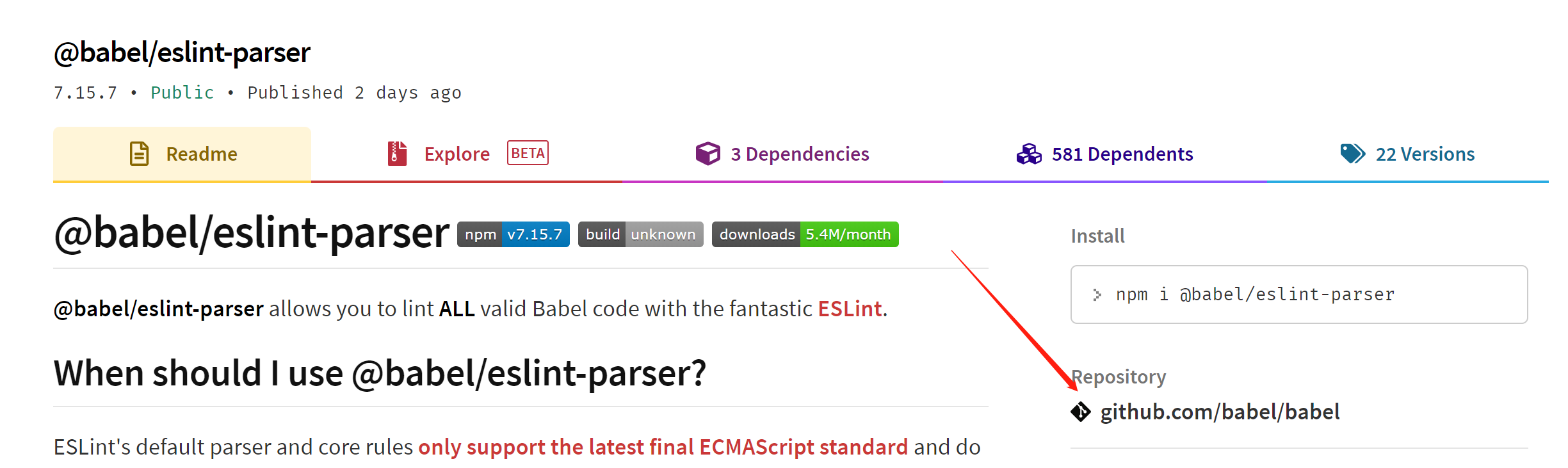
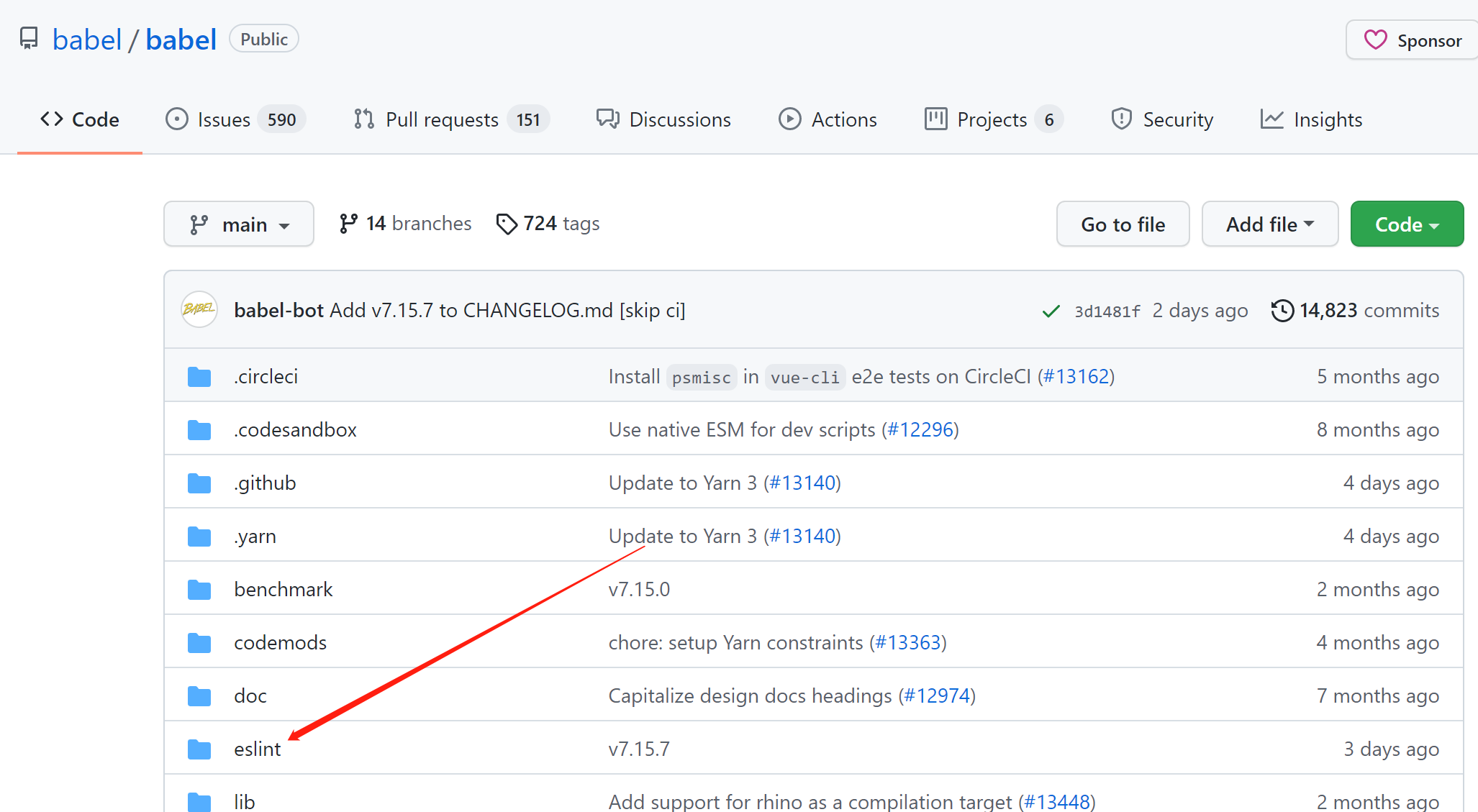
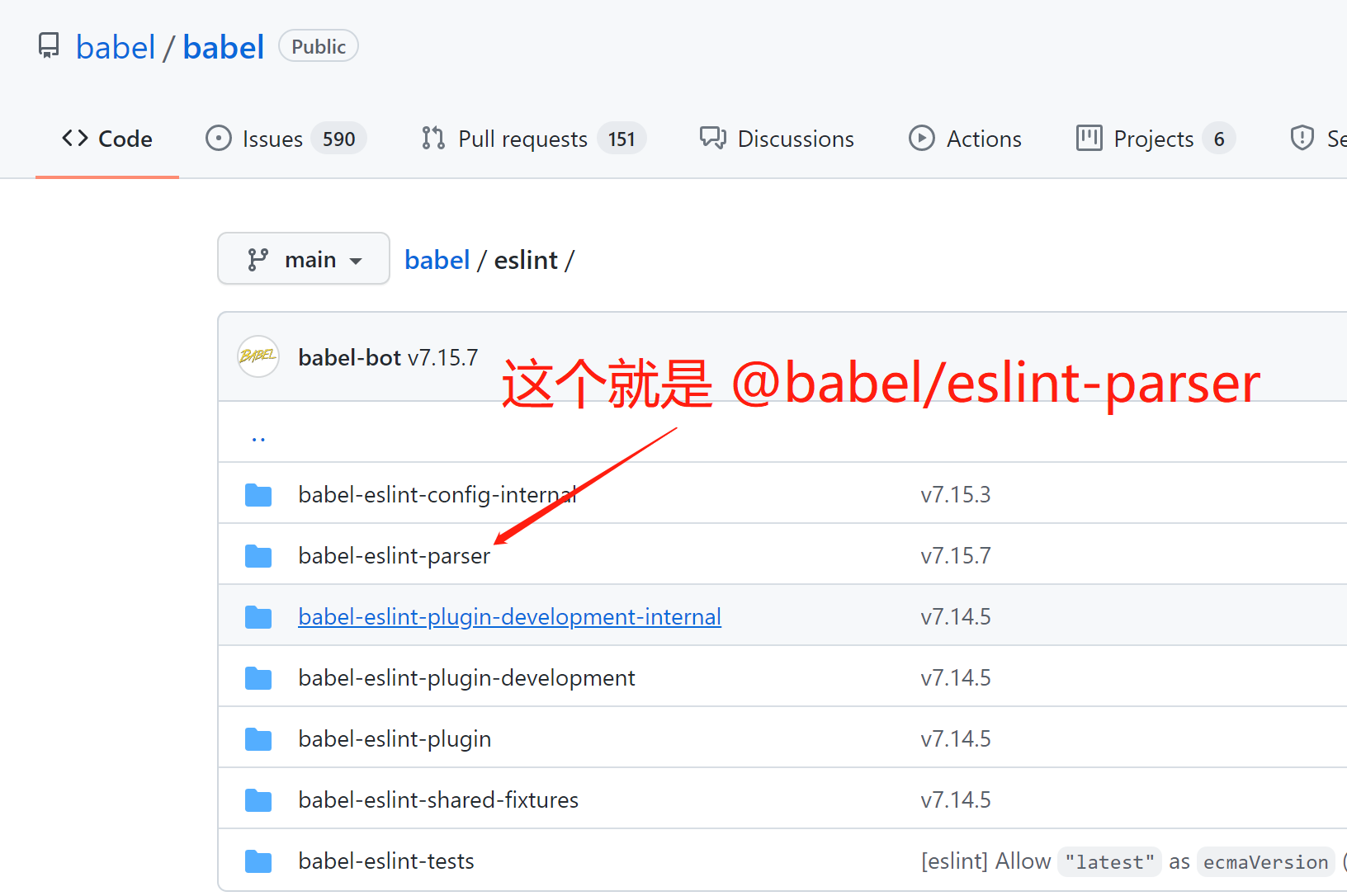
地址如下:
https://github.com/babel/babel/tree/main/eslint/babel-eslint-parser
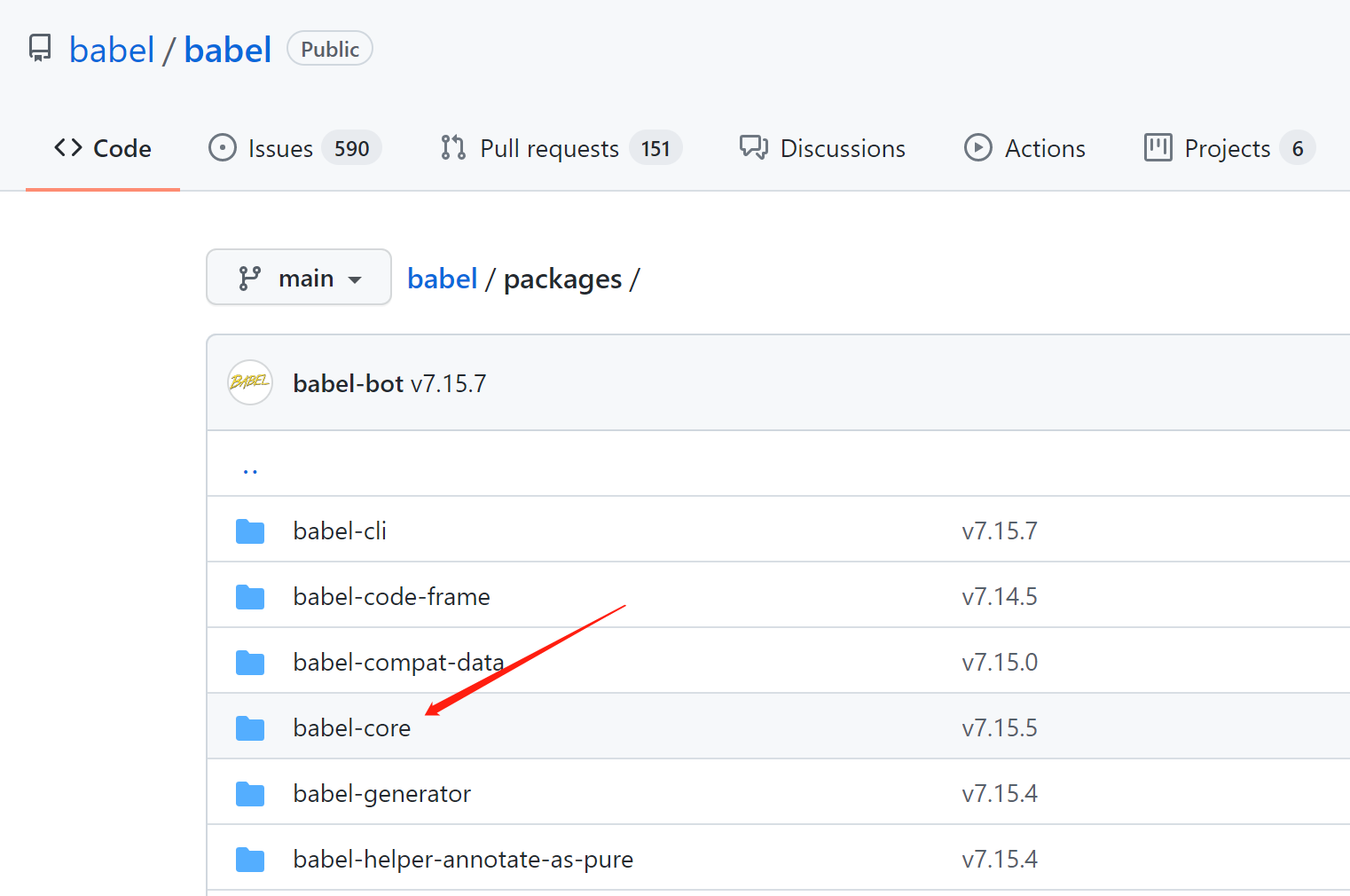
找@babel/core github仓库的方法
方法与之前一样,差异部分如下: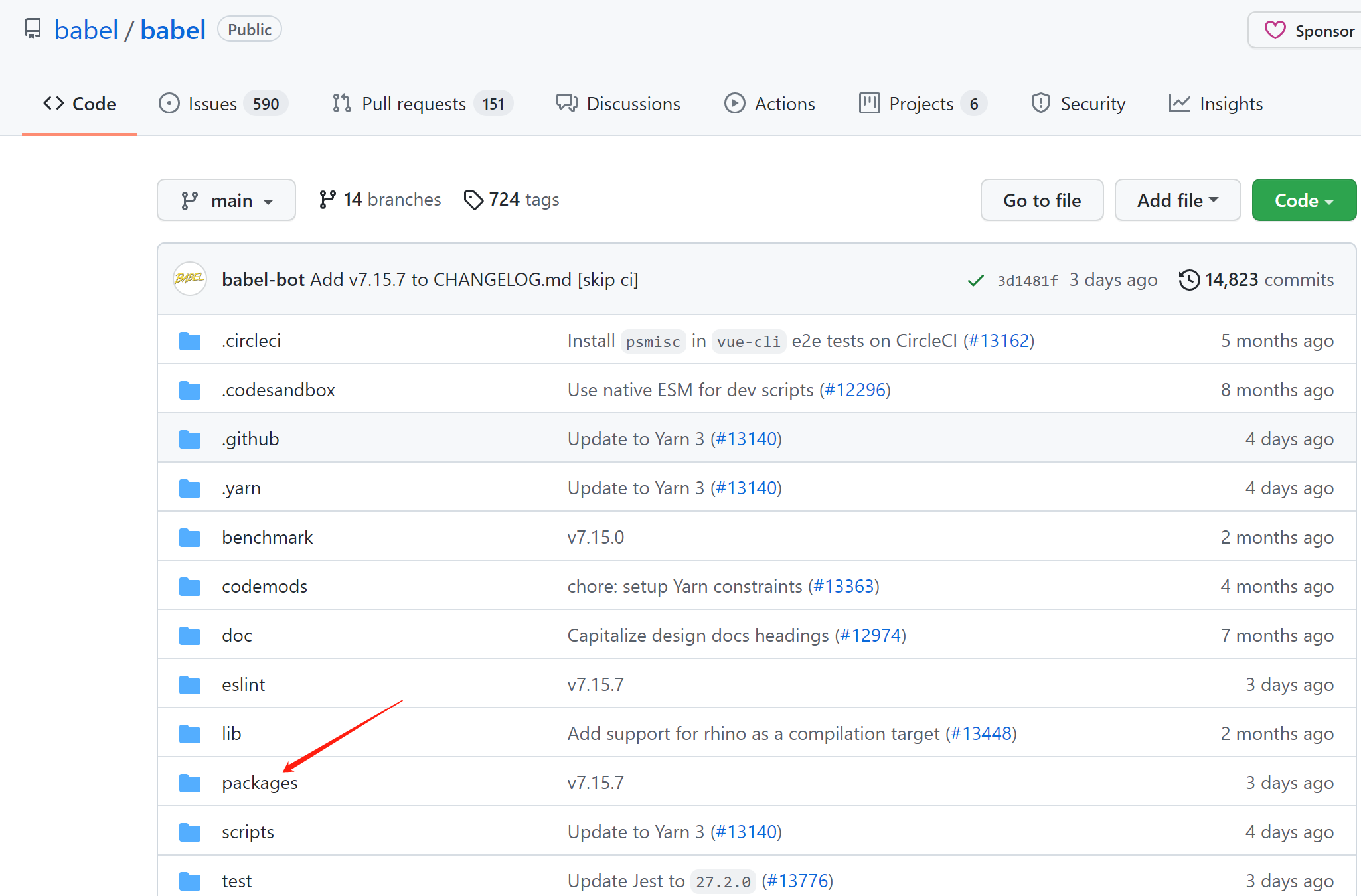
找eslint-config-airbnb-base github仓库的方法
步骤
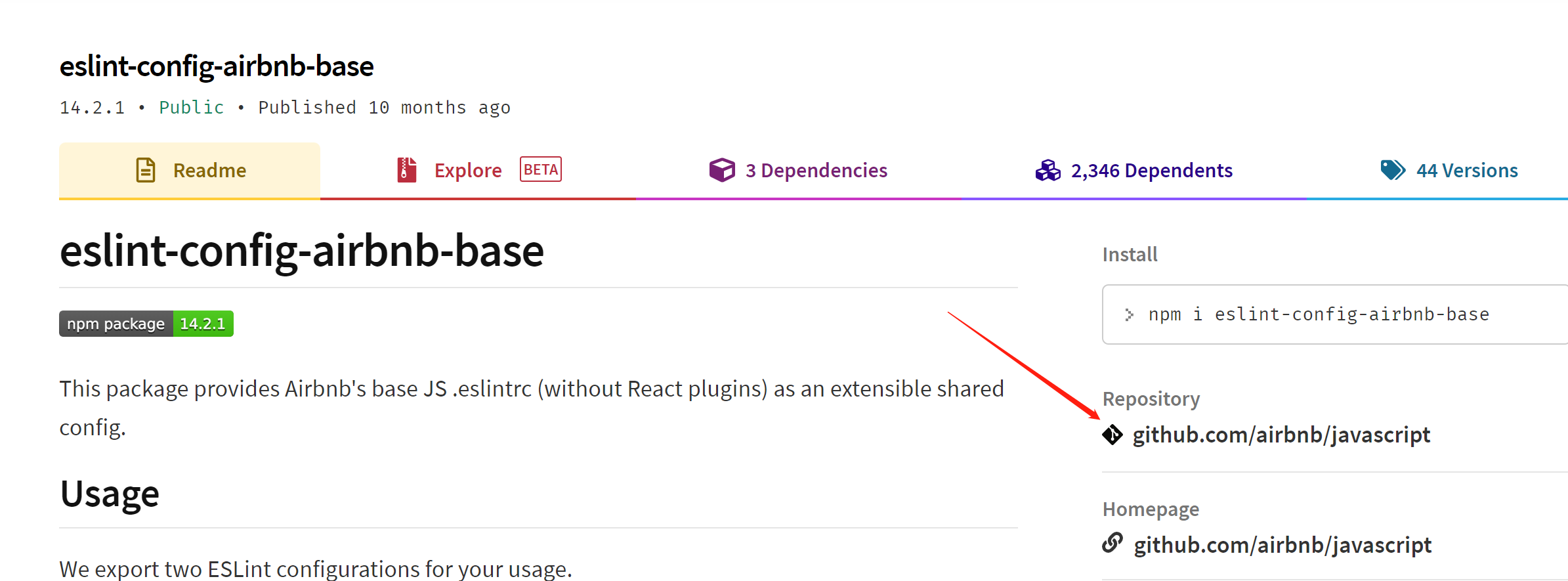
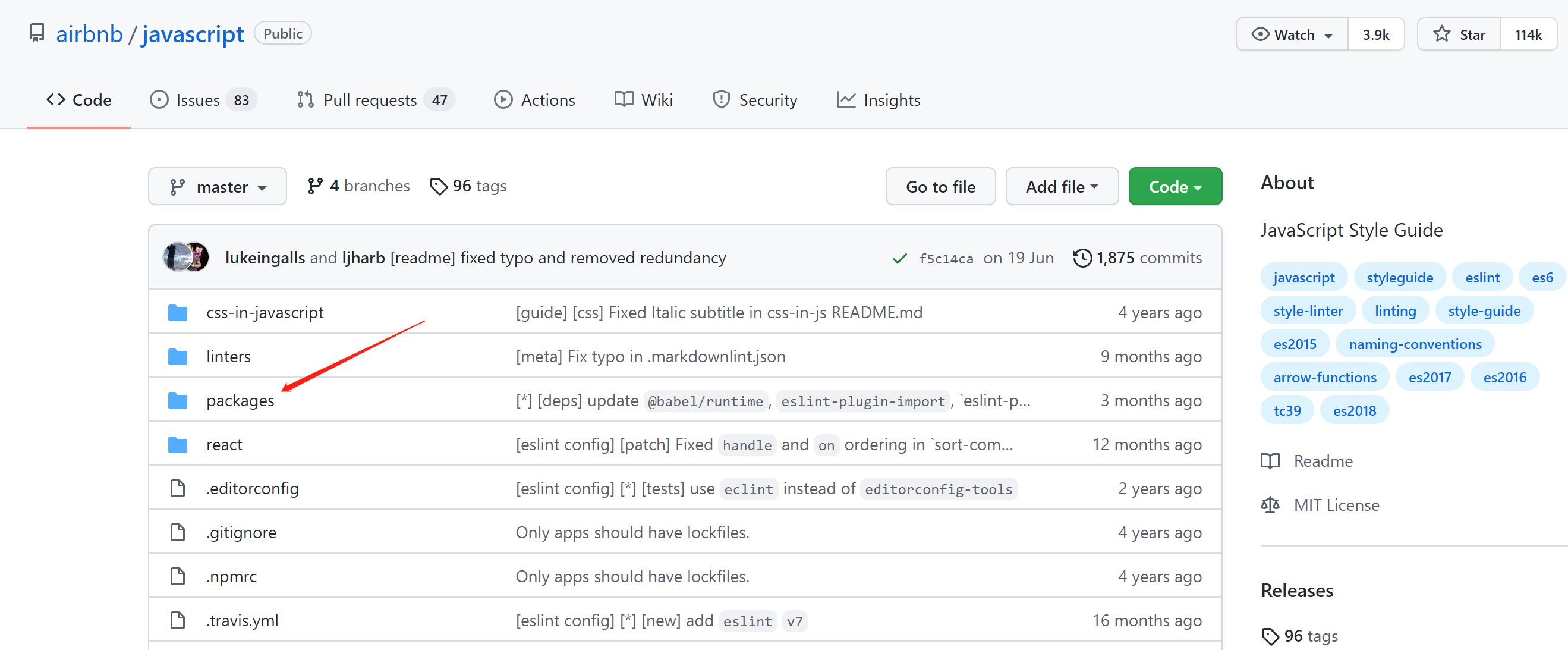
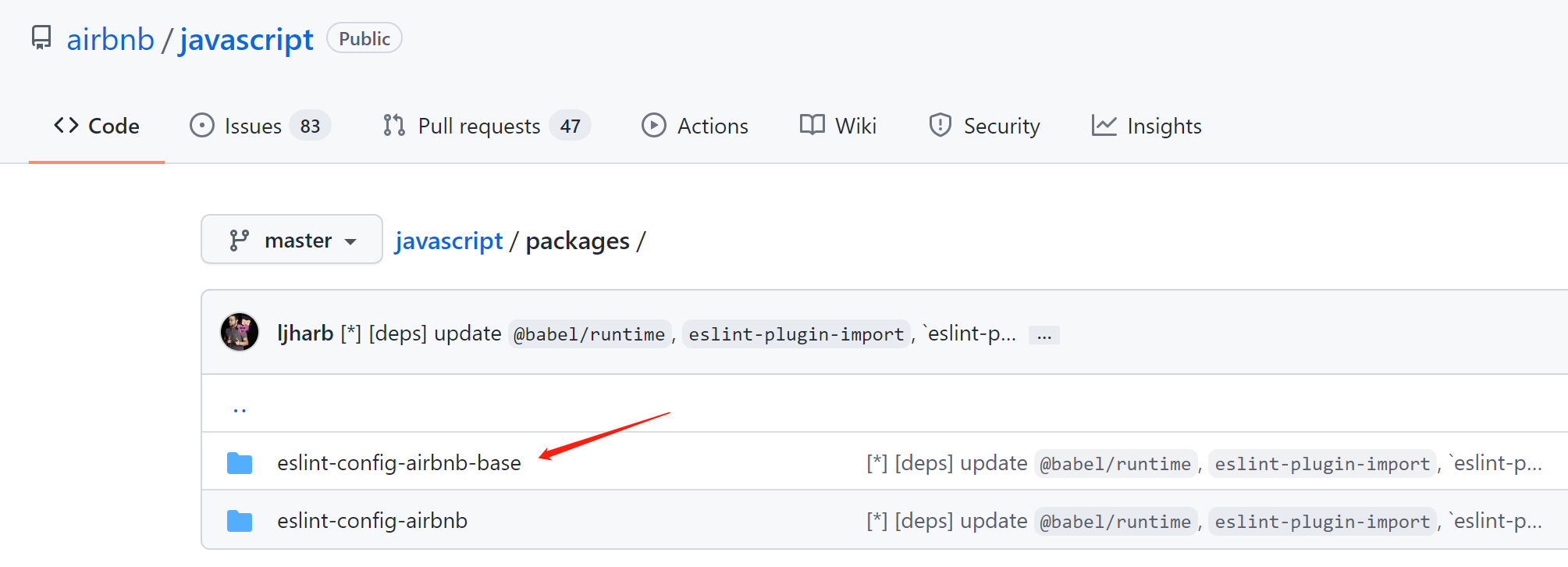
秘密都在package.json中
为什么是在根目录的packages下,可以从package.json看出,
所以面对一个github仓库管理多个npm包源码时,要多看package.json: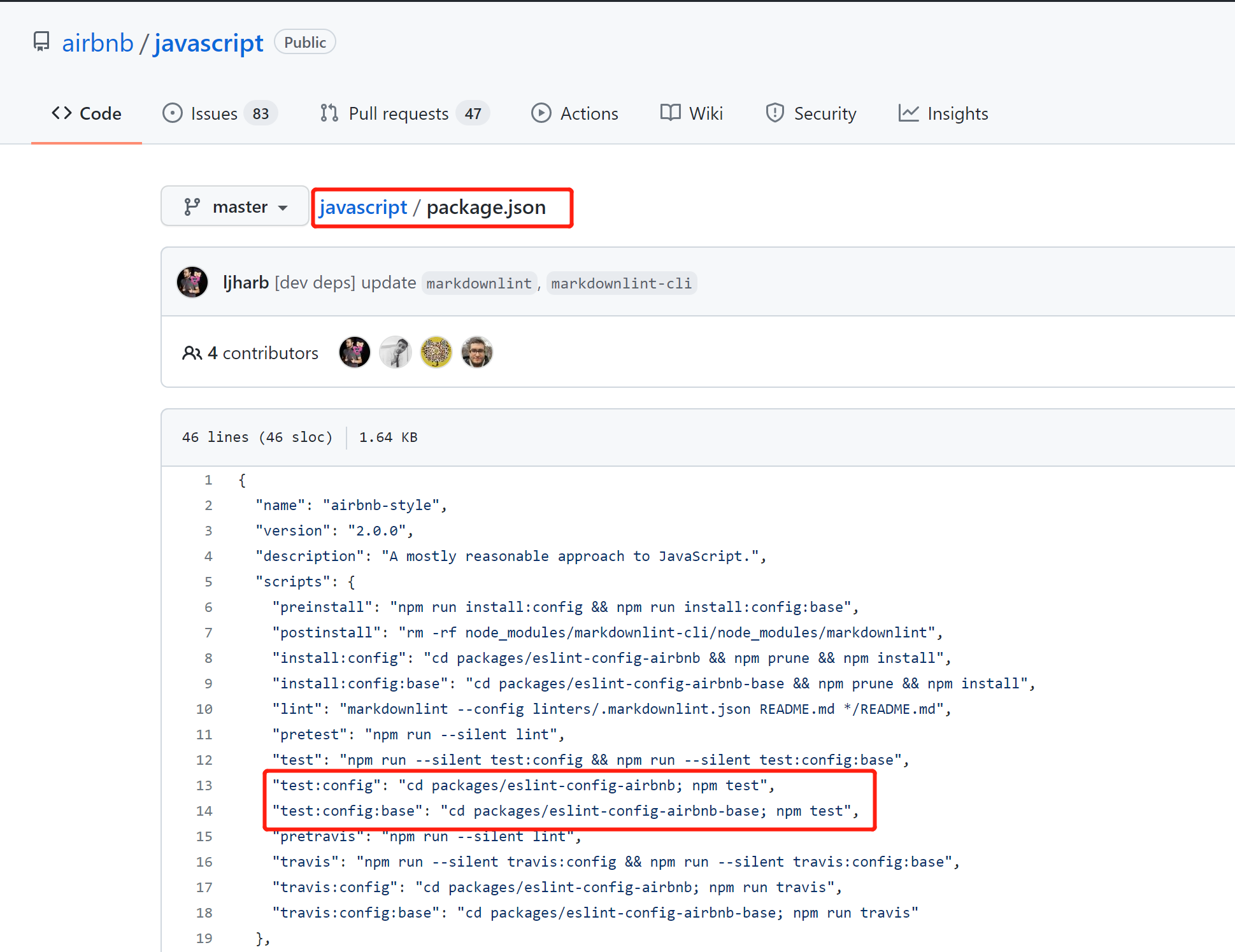
查看eslint-plugin-import所有的rules
直接去eslint-plugin-import官网查看,查询其他eslint包的rules,可以此类推